
Now more than ever, as technology advances rapidly, scams targeting organizations and businesses are becoming more frequent and harder to spot. So let’s dig into some recent examples that the Digital Relativity team has seen out in the wild: what they look like, how to spot them and how to keep yourself safe.
Fake external scams
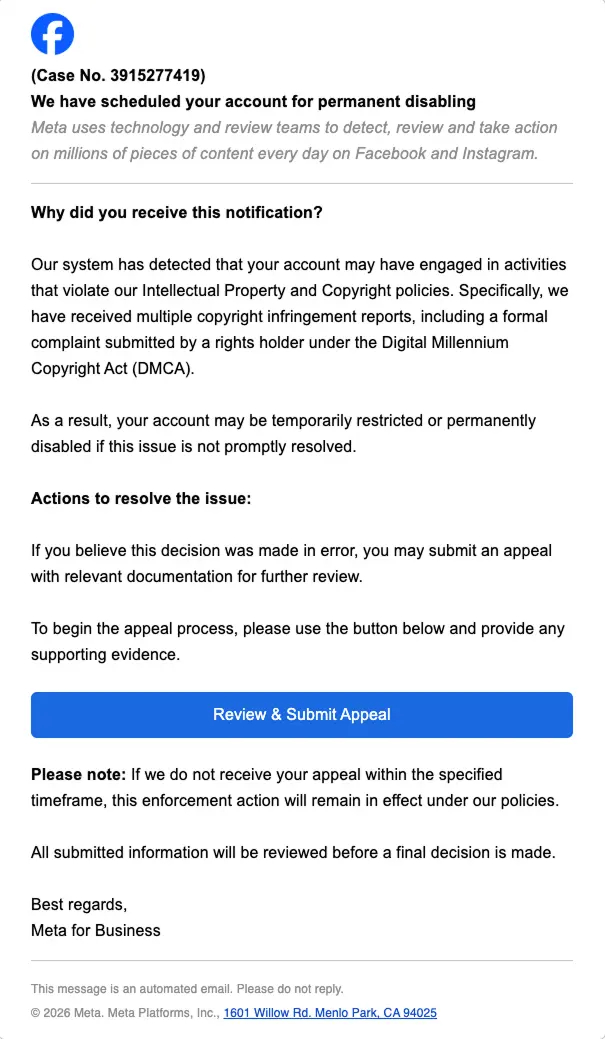
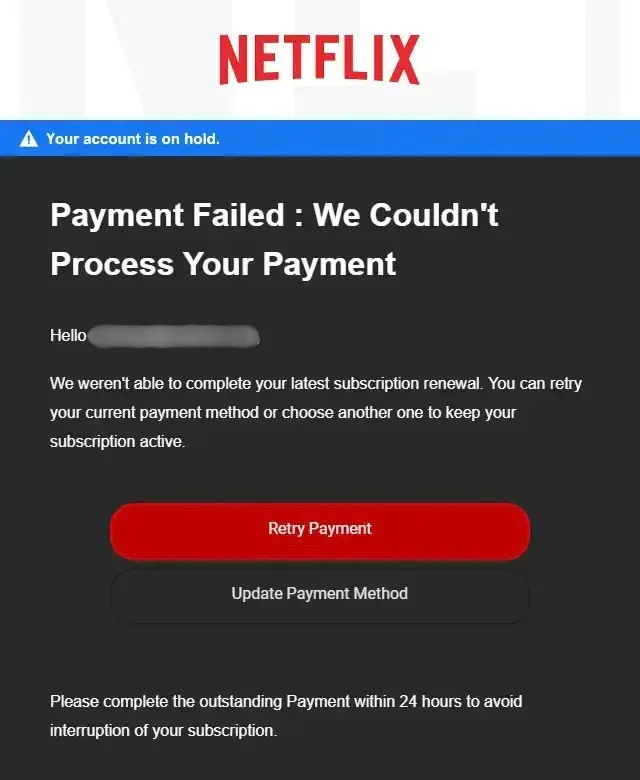
These pretend to be a company you actually deal with. One partner got hit with a “violation of intellectual property” email that looked convincing at first glance, threatening to disable their account entirely on Meta, — ads, messaging, all of it. Another one making the rounds shows up as a “payment declined” notice for something like Netflix, sent from a name that couldn’t be less official if it tried, like [email protected] (we’ll see him again later).
Here’s some examples:
Fake internal scams
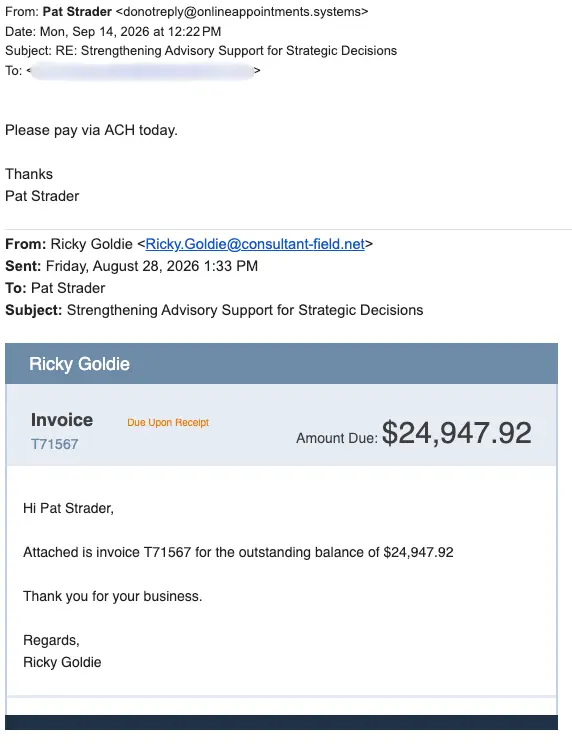
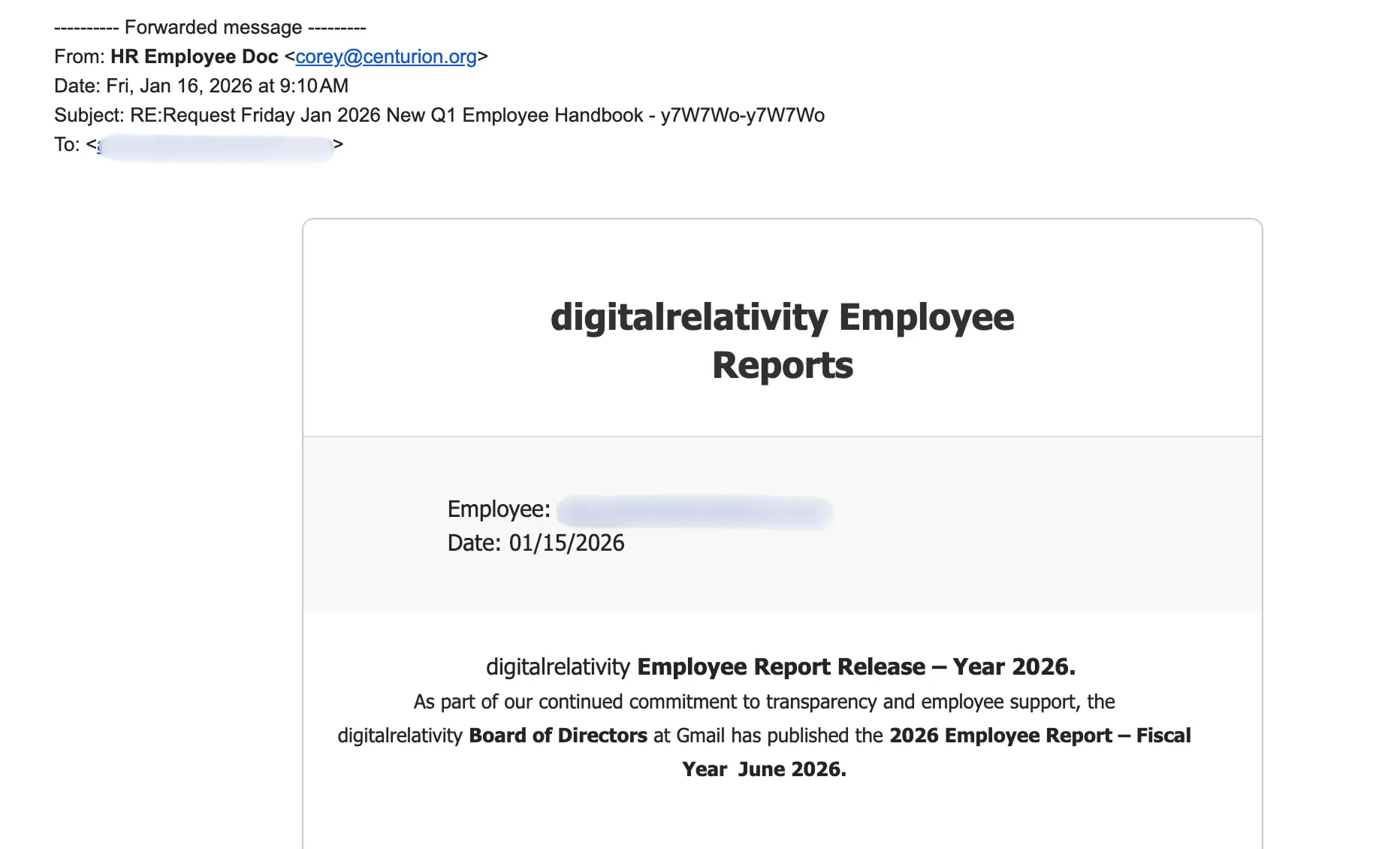
These scams hit closer to home since they pretend to be us instead of an outside company. A few we’ve seen: fake invoices pushing day-of payment, texts from unknown numbers claiming to be a coworker asking you to hop on a call or confirm you’re available, and emails posing as HR asking you to review or sign a document.
Here’s some examples:
How to spot scams
Sender
The first thing we should always look at is the email address. If it’s not coming from an official email address from the company or person contacting you, then don’t trust it and ignore it. Email addresses will have the official domains of the company in them. Spam filters catch most of these before they get through. Support emails tend to look like these:

Take this message, for example, coming from Pat Strader <[email protected]>. Pat Strader is our Chief Innovation Officer and President at Digital Relativity. The first flag: why would Pat be messaging us from a do not reply email, and not one with his name in it? Secondly, our official emails all use our domain, so for this to come from onlineappointments.systems instead of digitalrelativity.com is a huge red flag.
Another trick scammers use is setting their display name to look like an official email address instead of a real name, take this one for example: [email protected] <[email protected]>. This will appear in your inbox as [email protected], but once you open the email, you can see the real email address. Always double check the source.
Here’s another Example:
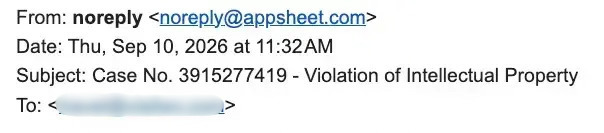
This email about an account violation supposedly came from Facebook. But a quick check of the sender’s email address, “[email protected],” is a clear giveaway that it isn’t really from Facebook, because it’s not from a facebook domain.
Formatting
Spotting some of these fakes can be pretty easy by just looking at the format of the messages. Take a look at these text messages:
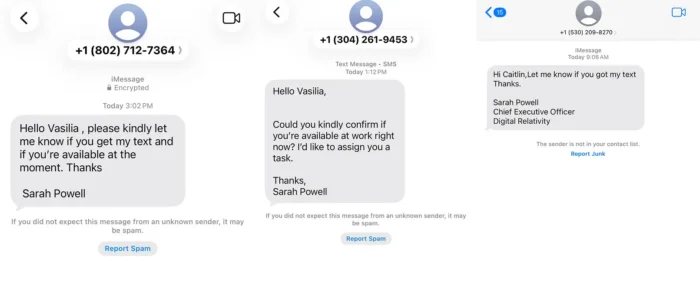
We can see how the message is formatted. Most of these are typed up by lazy scammers, pasted from bots into templates and now AI. In each of these messages, we can spot an error. All three have issues with spacing, either with random spaces, no spaces or extra line breaks by the name of the supposed “sender” and “recipient” of the messages.
Links
Inspecting links can be a sure-fire way to spot a scam. Look at this message below:
Now this would scare any business owner. At first glance, it looks like a legit email from Facebook — typed out and formatted like a support email, with the logo, a fancy case number and a big “Review & Submit Appeal” button.
On this note, I cannot stress this enough. DO NOT EVER, I MEAN EVER, CLICK ON A LINK OR BUTTONS FROM THESE EMAILS. That one click is exactly what some scammers are looking for. Clicking can tell them where to send more of these emails, and enable them to hack your device and steal your information.
So, how can you check a link without falling for it? Hover over the button or link (DON’T CLICK) and look at where it points. On desktop, these links show up in small boxes in the bottom corner of your browser or email client. If that “Review & Submit Appeal” button points to some random domain that has nothing to do with facebook.com, that’s your answer. Scammers can get creative with lookalike domains as well, like facebook-support.com or meta-appeals.net that are close enough to fool a quick glance but aren’t the real thing.
We can see in this email that the button links out to a random dev link, and not a Facebook support page. These dev links are exactly what you should never click.

Just to make sure
If it keeps you up at night, there’s always one more step you can take: verify at the source. If your boss messages you on a random channel, reach out to them and see if it was them. Worried about a bill from a company? You can check your payment information and history on their platform. Worried everything will be put on hold by Facebook and your ads won’t reach potential customers? You can log in and check for any violations on your account.
At the end of the day, scams work because they’re designed to make you react fast and think later. Slow down, check the sender, check the link and when in doubt, ask. A five-minute double-check is a lot cheaper than a compromised account or a stolen password, and honestly a little healthy skepticism is a good habit to have no matter how good these things get.